NSFAS Fraud Prevention
NSFAS never charges a fee to apply, appeal, access your myNSFAS portal or receive your allowances. Anyone asking for money is a scammer.
Home / Fraud prevention
For applicants, students & stakeholders

Protect your funding. Protect your future.

Scammers target students every application season, posing as NSFAS staff, "agents" and helpers. Learn the warning signs, keep your myNSFAS account and allowances locked down, and report anything suspicious. NSFAS has zero tolerance for fraud and corruption.

Scams aimed at students

How scammers try to reach you

If you see any of these, stop. Don't pay, don't share, don't click.

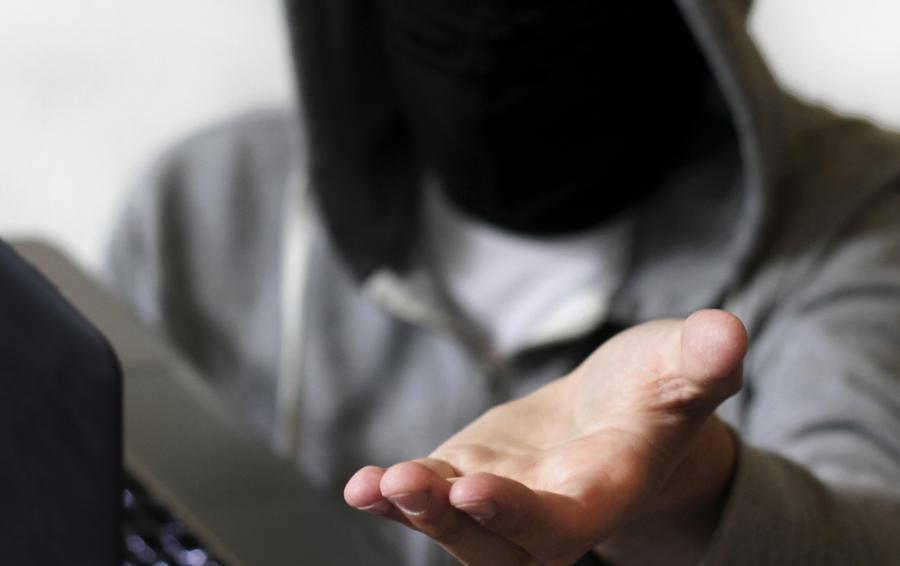
Hooded figure holding out an open hand, asking for paymentMost common

They ask for money

A "processing fee", "admin fee" or payment to check your status or secure a place.

"Pay R300 and I'll make sure you get approved."
Masked person making a phone call

They want your login

Calls or messages asking for your myNSFAS username, password or one-time PIN (OTP).

"Send me the OTP so I can fix your profile."
Masked person holding a bank card and a laptop

Fake links & look-alike pages

Websites and social pages that copy the NSFAS name and logo to collect your details or card number.

"Apply here: nsfas-apply2027.co.za"

Also watch for

"NSFAS" groups

WhatsApp, Telegram or Facebook groups claiming to help with applications or allowances.

Pressure & threats

Warnings that you'll lose funding "today" unless you pay or share details right now.

Document requests

Someone off-platform asking for your ID copy, bank statements or consent forms.

Your allowances & myNSFAS account

Protect your allowances. Your portal is yours alone.

Your myNSFAS account controls your funding status, your personal details and where your allowances are paid. Anyone who gets into it can redirect your money. Access to your own portal is always free, and no one else ever needs it.

Never pay anyone

No one charges for your myNSFAS access.

If someone demands money to get into, fix or unlock your portal or allowance, it is a scam. Refuse and report it.

  • "R150 to unlock"
    Unlocking or activating your accountYou can reset your own password on the myNSFAS login page for free.
  • "Pay to release"
    Releasing or "fast-tracking" allowancesAllowances are paid on the official schedule. No fee can speed them up.
  • "I'll boost it"
    Increasing your allowance amountAllowance amounts are set by NSFAS rules. No one can raise yours for a fee.
  • "Give me access"
    "Checking" or "managing" your portal for youAgents, landlords, runners or friends never need your login.
  • "Send your OTP"
    Changing your bank or payment detailsOnly you should update these, from your own account.

Nobody from NSFAS will ever ask for your password, PIN or OTP.

Keep your login to yourself

Use a strong password you don't use anywhere else. Never share your password, PIN or OTP, even with family, SRC members or accommodation providers.

Protect your cellphone number and email

They're how NSFAS reaches you and how passwords are reset. Update them only on myNSFAS, and tell your network provider immediately if your SIM stops working unexpectedly.

Guard your payment account

Your allowances should only go to an account in your own name. Never hand over your bank card, PIN or payment app login, and never "sell" or "lend" your allowance to someone for cash.

Check your account regularly

Log in to myNSFAS and your payment account often. Look for changes you didn't make to your details, bank information or payments, and act immediately if you find any.

Log out on shared devices

Always log out of myNSFAS on shared phones, library or internet café computers, and never let a browser save your password there.

Allowance late, missing or changed?

  1. Log in to myNSFAS yourself and check your funding status and details.
  2. Check with your institution's financial aid office.
  3. Contact the NSFAS contact centre on 08000 67327.
  4. If someone has accessed your account, change your password and report it straight away.
Integrity

Honest applications protect funding for everyone

NSFAS funding is public money meant for students who qualify. Fraud against the scheme, whether by outsiders, applicants or officials, takes that funding away from someone who needs it.

Police officer handcuffing a suspect beside a SAPS vehicle
Fraud has consequencesOffences may result in criminal prosecution.

Zero tolerance

Fraud, corruption, bribery, theft, collusion and any unethical conduct will not be tolerated and may result in criminal prosecution.

Your responsibility

  • Act with integrity and honesty
  • Be truthful when submitting your funding application
  • Be truthful about your parents' status and household income
  • Help safeguard government funding
  • Report suspicious activity promptly

Red flags to report

  • Falsified documents
  • Undisclosed conflicts of interest
  • Gifts or favours influencing decisions
  • Bypassing approved processes
Stay safe

Simple habits that keep your account secure

✓ Do

  • Apply only through official channelsUse the myNSFAS portal or the official NSFAS app.
  • Log out after every sessionEspecially on shared phones or public computers.
  • Follow NSFAS's official processIf myNSFAS gives you trouble, use the published support channels.
  • Double-check the web addressOfficial pages end in nsfas.org.za.
  • Report anything suspiciousTo NSFAS Speakup, the Hawks anti-corruption line or SAPS.

✕ Don't

  • Pay anyone to apply or follow upEven if they say they work for NSFAS.
  • Share your login details or OTPNot with staff, SRC members, classmates or lecturers.
  • Click links from unofficial pagesOr join groups that copy the NSFAS profile.
  • Enter personal info on look-alike sitesYour ID and bank details are what scammers want.
  • Let someone apply on your behalfKeep control of your own application.
Quick check

Got a suspicious message? Check it in 20 seconds.

If even one answer is "Yes", treat it as a scam.

nsfas.org.za

Official website

my.nsfas.org.za

myNSFAS portal

@myNSFAS

Verified social pages

Close-up of a person in a balaclava looking sideways

Scammers count on you not checking.

Are they asking you to pay to access your portal or allowance?
Do they want your password, PIN or OTP?
Is the link on a site other than nsfas.org.za?
Are they rushing or threatening you?
Did it come from a group or personal number?
Answer the questions aboveYour result will appear here.
See something? Say something

Report fraud and corruption

Report scams, bribery or any unethical conduct involving NSFAS funding. You can report to NSFAS directly, to the Hawks (the Directorate for Priority Crime Investigation), or to the National Anti-Corruption Hotline.

NSFAS fraud prevention
Speakup@nsfas.org.za

Report directly to NSFAS

Email
Hawks anti-corruption line
012 846 4590

Directorate for Priority Crime Investigation (DPCI)

Call
Hawks email
CorruptionReports@saps.gov.za

Attach screenshots or links if you have them

Email
National Anti-Corruption Hotline
0800 701 701

Toll-free, run by the Public Service Commission

Call
Security team working in a monitoring room
Confidential

You can report safely

Reports to the Hawks and the National Anti-Corruption Hotline are handled outside NSFAS and kept confidential. Whistle-blowers are protected under the Protected Disclosures Act.

Two police officers standing beside a patrol vehicle
SAPS Crime Stop
08600 10111

Lost money or personal information? Open a case at your nearest police station and keep your case number.

For genuine application and account queries, contact the NSFAS contact centre on 08000 67327.

Stop

Don't pay, reply, or click any further links.

Think

Does this follow the official NSFAS process? Save screenshots and numbers.

Report

Contact Speakup, the Hawks or SAPS using the details above.

Protect

Change your myNSFAS password and warn your classmates.
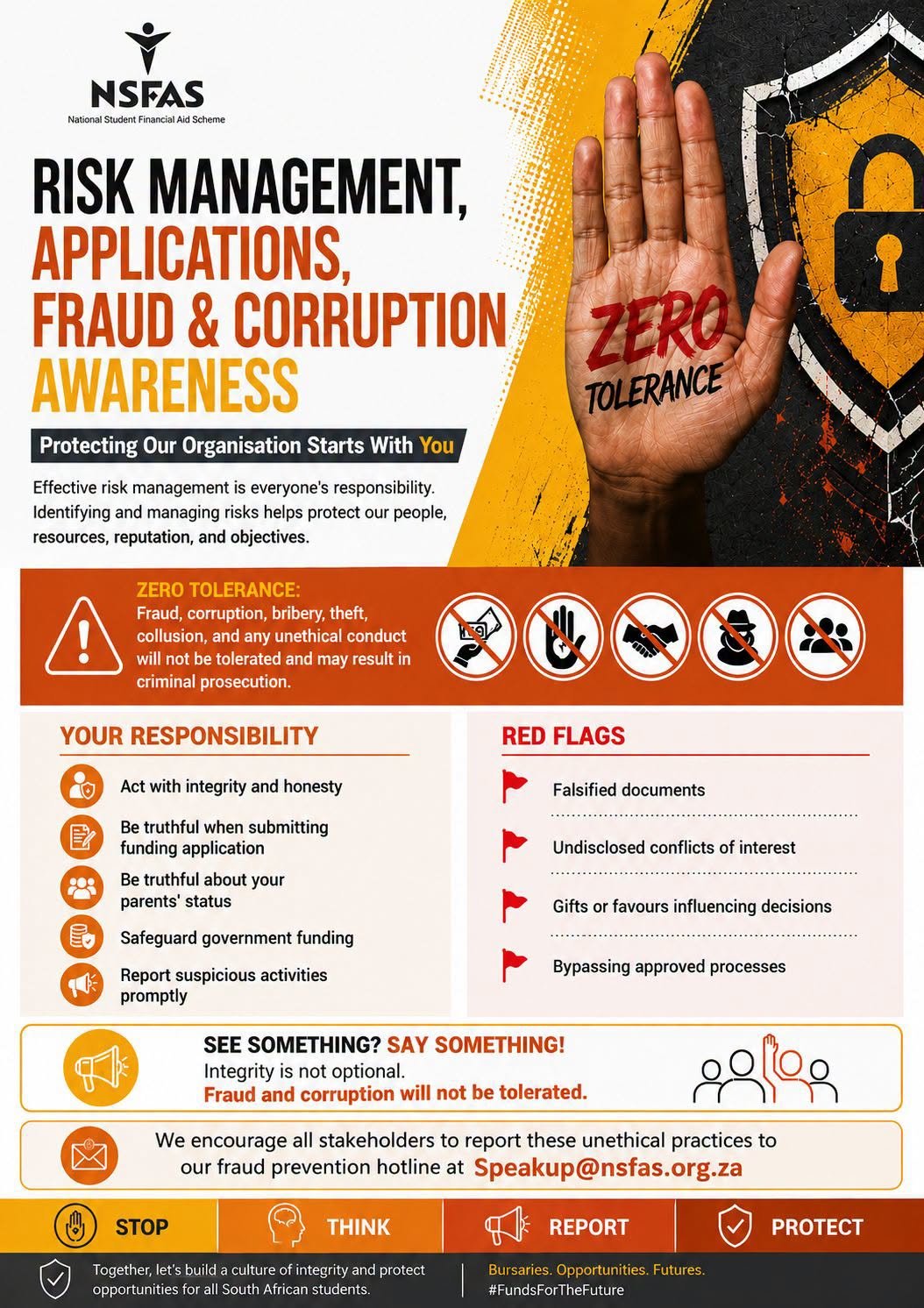
NSFAS Risk Management, Applications, Fraud and Corruption Awareness poster
Awareness campaign

Spread the word on campus

The Fraud & Corruption Awareness poster sums up this page on one sheet. Put it up where students make funding decisions.

  • Residence and campus notice boards
  • Financial aid and SRC offices
  • TVET college student support centres
  • Class and residence WhatsApp groups

Institutions can request print-ready copies from NSFAS Communications.

Questions

Frequently asked questions

Does NSFAS ever charge an application fee?

No. Applying for NSFAS funding is completely free, and so is checking your status or submitting an appeal. Anyone who asks you for money is not acting for NSFAS.

Someone says they work for NSFAS and can speed up my application. Is that real?

No. Applications are processed through the official system and can't be fast-tracked for a fee or a favour. Report the person to Speakup@nsfas.org.za or the Hawks on 012 846 4590.

What happens if I give false information on my application?

Submitting falsified documents or false information about your household income or your parents' status is fraud. NSFAS has zero tolerance for fraud, and it may result in criminal prosecution.

Someone says they can unlock my myNSFAS account or release my allowance for a fee. Should I pay?

No. Never pay anyone to access your myNSFAS portal or to release, speed up or increase your allowances. You can reset your own password for free on the myNSFAS login page, and allowances are paid on the official schedule. Report the person to Speakup@nsfas.org.za or the Hawks on 012 846 4590.

My landlord or accommodation provider wants my myNSFAS login. Is that allowed?

No. Accommodation providers, agents and "runners" never need your myNSFAS login or OTP. Refuse, and report anyone who insists or makes your accommodation conditional on it.

Someone offered to buy my allowance or give me cash in advance. Is it safe?

No. Selling or "lending" your allowance, or handing over your bank card or PIN, puts your funding at risk and is often a scam. Your allowances are for your own study and living costs.

I already shared my myNSFAS password. What should I do?

Change your password immediately, check your profile and banking details for changes, and report what happened to Speakup@nsfas.org.za and the NSFAS contact centre.

I paid a scammer. Can I get my money back?

Open a case at your nearest SAPS station as soon as possible and contact your bank. Keep proof of payment and all messages. Report it to NSFAS too so others can be warned.

Can I report an NSFAS employee or an institution official?

Yes. Report bribery, favours, conflicts of interest or anyone bypassing approved processes to Speakup@nsfas.org.za or the Hawks on 012 846 4590.

How do I know a social media page is official?

Official NSFAS accounts link back to nsfas.org.za and are verified. NSFAS does not run WhatsApp or Telegram "help groups" for applications.

Help protect other students

Share this page with your classmates, family and SRC.